
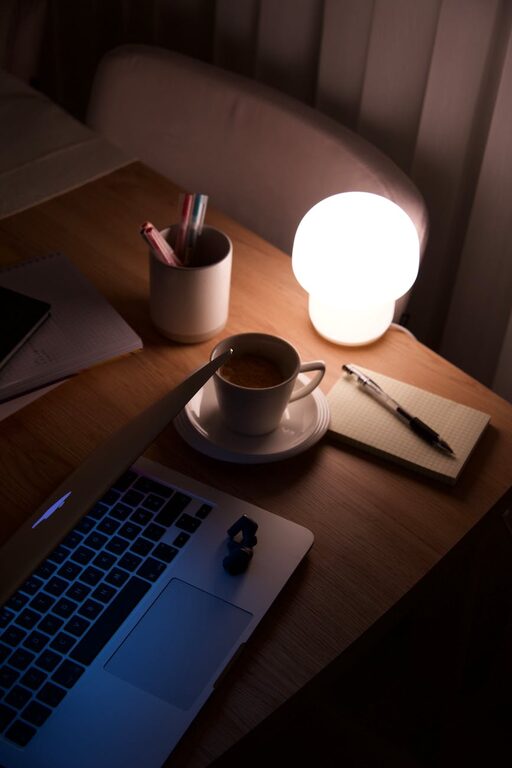
Creating a cozy and inviting home workspace can greatly enhance your comfort and productivity while working from home. Whether you have a dedicated room or a small corner, designing a space that feels welcoming and functional is achievable with a few thoughtful tips. This guide will help you turn your home workspace into a pleasant retreat.
Why a Cozy Workspace Matters
Spending long hours at a desk requires more than just a good computer or fast internet. Your environment influences your mood, energy, and efficiency. A cozy workspace helps reduce stress, inspires creativity, and makes work more enjoyable.
Choosing the Right Location
The first step is selecting the ideal spot for your workspace.
– Natural Light: Position your desk near a window if possible. Daylight improves focus and lifts your mood.
– Quiet Area: Find a place away from household noise and distractions.
– Space: Ensure there is enough room for your desk, chair, and any equipment you need.
Comfortable and Supportive Furniture
Investing in furniture designed for comfort is key.
– Ergonomic Chair: Choose a chair that supports your back and encourages good posture.
– Appropriate Desk: The desk height should allow your hands to rest comfortably on the keyboard and mouse.
– Adjustable Furniture: Consider furniture you can adjust as needed for different tasks.
Personalize with Soothing Colors and Textures
Colors and textures affect how welcoming your workspace feels.
– Calming Colors: Soft neutrals, pastels, or muted tones create a relaxing atmosphere.
– Accent Pieces: Add cushions, rugs, or curtains with cozy fabrics like wool or cotton.
– Plants: Incorporate greenery to bring freshness and improve air quality.
Organizing for Efficiency and Calm
Clutter can disrupt focus, so organization is important.
– Desk Organizer: Use trays, holders, or drawers to keep supplies tidy.
– Cable Management: Hide or secure cords to prevent tangling.
– Digital Organization: Keep your computer files and desktop clean to reduce stress.
Lighting That Works for You
Proper lighting helps prevent eye strain and sets the mood.
– Task Lighting: A focused desk lamp is useful for reading or detailed work.
– Ambient Lighting: Use soft overhead lights or lamps with warm bulbs.
– Adjustable Brightness: Choose lighting that you can easily dim or brighten.
Adding Comfort and Personal Touches
Make your workspace feel like your own retreat.
– Soft Textiles: A cozy throw blanket or cushioned chair pad can enhance comfort.
– Inspiring Decor: Frames, artwork, or meaningful objects bring personality and motivation.
– Scent: Use subtle scents like lavender or citrus with a diffuser to keep the atmosphere pleasant.
Incorporating Technology Mindfully
Technology powers your work, but managing it well keeps your space inviting.
– Wireless Devices: Reduce clutter with wireless keyboards and mouse options.
– Noise-Canceling Headphones: Minimize distractions in noisy environments.
– Screen Position: Place your monitor at eye level to reduce neck strain.
Taking Breaks and Moving Around
Finally, remember to incorporate movement into your routine.
– Stretch Area: Leave space nearby for quick stretches or yoga poses.
– Comfort Zone: Create a small nook with a comfortable chair for breaks or reading.
– Natural Views: Facing your workspace toward a window or plant can refresh your senses.
Final Thoughts
A cozy and inviting home workspace blends functionality with personal comfort. With the right setup, your work area will become a place you look forward to spending time in. Start by focusing on light, comfort, organization, and personal touches to create a productive and pleasant environment.
Taking these steps will not only improve your work but also boost your overall well-being during your time at home.