
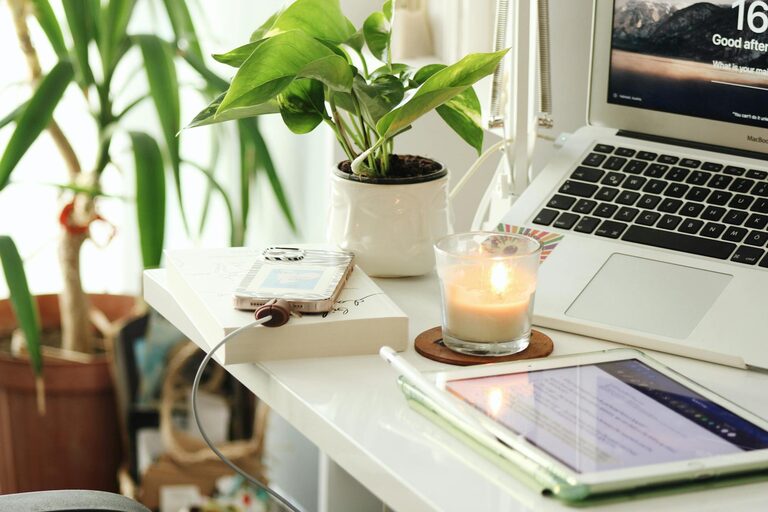
Creating a home workspace that feels both relaxing and productive is essential for anyone working remotely or spending a lot of time at their desk. A well-designed area can reduce stress, improve focus, and make your workday more enjoyable. Here are some practical tips to help you set up a comfortable and efficient home office that supports both relaxation and productivity.
Choose the Right Location
The first step in creating a relaxing home workspace is picking the right spot. Ideally, choose a space away from heavy traffic areas and noise. If possible, select a room with good natural light and ventilation. A quiet corner or a dedicated spare room can serve as an ideal workspace to help separate work life from home life.
Invest in Comfortable Furniture
Your chair and desk are the foundation of your workspace. Ergonomic furniture is worth the investment since it supports good posture and reduces physical discomfort during long hours of work.
– Chair: Choose an ergonomic office chair that offers good lumbar support. Adjustable height and armrests can also improve comfort.
– Desk: A desk large enough to hold your computer, documents, and any accessories you regularly use helps keep your area organized.
– Standing desks: Consider a sit-stand desk to allow movement throughout the day and reduce the risks of sitting too long.
Optimize Lighting
Lighting can significantly impact your mood and productivity.
– Utilize natural light whenever possible to brighten your workspace and keep you alert.
– Add a desk lamp with adjustable brightness to reduce eye strain during late hours.
– Avoid harsh overhead lighting, as it can cause glare on screens and create discomfort.
Personalize Your Space
Adding personal touches can make your workspace feel inviting and less sterile.
– Include plants to improve air quality and add a natural, calming element.
– Use artwork or photos that inspire and motivate you.
– Choose calming colors like soft blues, greens, or neutrals for walls or accessories.
Minimize Clutter and Stay Organized
A cluttered workspace can distract and reduce your efficiency.
– Use organizers like trays, drawers, or shelves to keep supplies neat.
– Regularly declutter your desk by removing items you don’t need.
– Keep digital files organized with folders and backup important documents.
Manage Noise Levels
Noise can be a major distraction when working from home.
– Use noise-canceling headphones to block out background noise.
– Play soft instrumental music or white noise if it helps you concentrate.
– Communicate your working hours to household members to minimize interruptions.
Create a Comfortable Environment
Your workspace should feel comfortable beyond just furniture.
– Maintain an optimal room temperature – not too hot or cold – to stay focused.
– Use essential oils or diffusers with calming scents like lavender or eucalyptus, if you enjoy aromatherapy.
– Make sure you have easy access to water and healthy snacks to stay hydrated and energized.
Take Breaks and Move Regularly
Even the best workspace setup can’t replace the benefits of taking regular breaks.
– Follow the 20-20-20 rule: Every 20 minutes, look at something 20 feet away for 20 seconds to reduce eye strain.
– Stand up, stretch, or take a short walk to increase circulation and reduce stiffness.
– Schedule breaks into your day to step away from your desk and recharge.
Use Technology Wisely
Technology is essential for productivity but can also become overwhelming.
– Keep your computer and other devices updated for smooth operation.
– Use apps and tools that help streamline tasks and reduce distractions.
– Limit notifications to only crucial alerts during work hours.
Create Boundaries Between Work and Home Life
Setting physical and mental boundaries is important for long-term comfort.
– Close the door or use a room divider to separate your workspace.
– Set specific work hours and stick to them.
– At the end of the workday, shut down your computer and tidy your desk to mentally “leave” work behind.
—
Final Thoughts
Designing a relaxing and productive home workspace is about balance. By considering comfort, organization, lighting, and personal touches, you can create a space that encourages focus without sacrificing relaxation. Experiment with these tips to find what works best for you, and enjoy a more satisfying work-from-home experience every day.